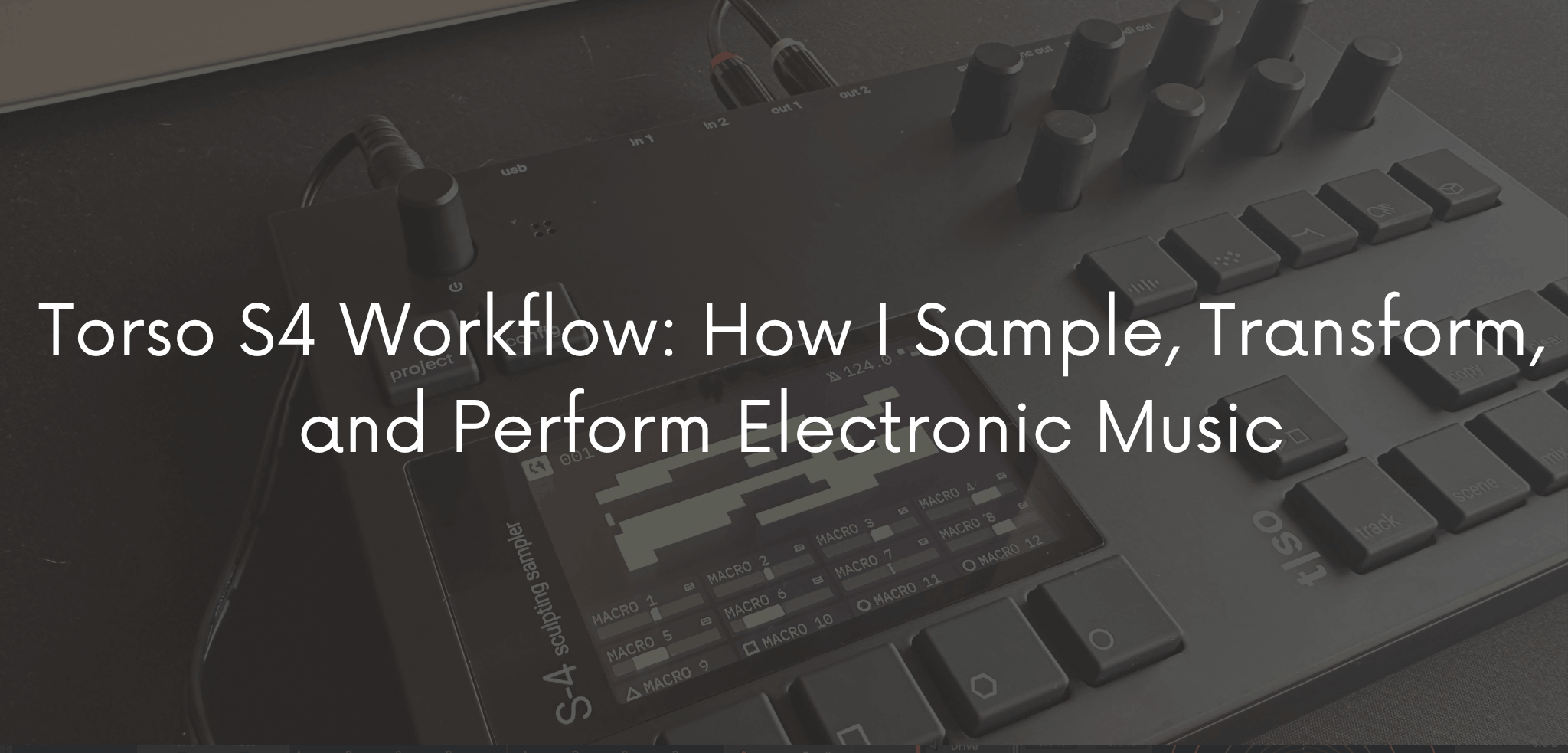
I still remember the loop that started this article, even though it never made it into a track. It was a two-second scrap of a cassette hiss I’d recorded through a contact mic on a radiator in my studio, not exactly inspiring on its own. Still, I dropped it into the Torso S4, stretched it, and ran it through the granular engine. Then I added some modulation on the filter, and by the time I resampled it back into a new track, it had turned into a slowly breathing pad that ended up anchoring an entire ambient piece. In other words, nothing about that sound was “good” when it went in. It became interesting because of what happened to it once it was inside the machine.
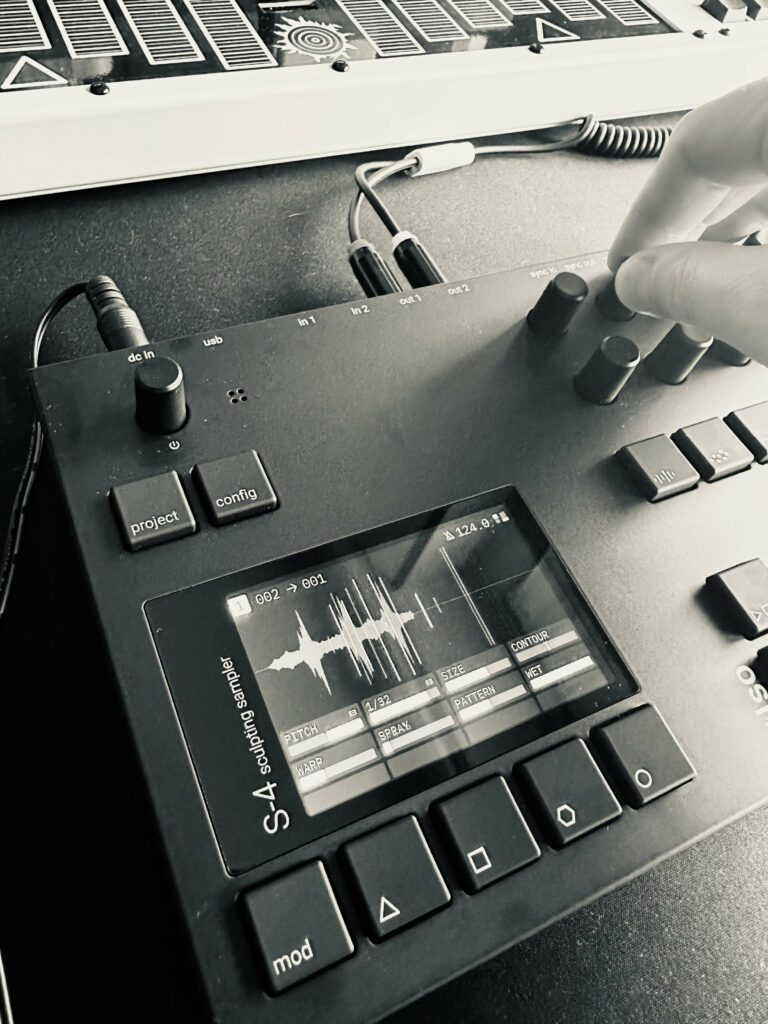
That’s really the sentence that best describes how I use the S4: I don’t use it to play back audio. Instead, I use it to take audio and turn it into something I can perform.
I already wrote in detail about what changed with firmware 2.0, the engine rewrite, Perform mode, Scenes, varispeed recording, and everything else that came with it. This article, however, isn’t about that update, and it isn’t a review either. It’s the workflow that firmware made possible: what I actually do with the S4 in the studio, how I prepare it before a gig, and how I think while I’m playing it live.
The Way I Think About the S4
Before I talk about signal chains or scenes, I want to talk about mindset first, because that’s really where the S4 workflow starts.
To begin with, I don’t approach the S4 as a box that stores and replays audio. Instead, I approach it as raw material with a personality that hasn’t been decided yet. In fact, a sample isn’t a finished idea, it’s a starting point that hasn’t been sculpted. That shift matters, because it changes what I’m listening for when I record or import something. I’m not asking “is this clean enough?” Rather, I’m asking, “What happens to this once I start moving it?”
Imperfection, for instance, is part of the process, not something to avoid. A recording with noise, a slightly clipped transient, or an accidental pitch wobble often carries more character after transformation than a pristine sample does. Repetition matters too — after all, a loop only becomes interesting to me once I’ve heard it enough times to notice how it wants to move, where it wants to break, and what it does when I push it too far.
Finally, there’s a degree of controlled unpredictability that I’ve learned to welcome instead of fight. When I set a modulator in motion or resample something twice removed from the original source, I usually can’t fully predict where it will land. That’s not a flaw in the workflow, though — on the contrary, it’s the reason the workflow stays interesting after years of using the same instrument.
Preparing the Material: What I Bring Into the S4
I rarely walk into a session with a plan for exactly what I’ll sample. Instead, what I do have is a rotating pool of source material that I keep feeding into the machine:
- Field recordings — street noise, mechanical hums, water, wind on a mic capsule
- Drum loops and percussion, often pulled from older sessions or hardware jams
- Synth and bass fragments recorded straight off the Prophet Rev2, the Polyend Synth, or the OP-XY
- Vocal fragments, mine or borrowed, chopped down to almost nothing
- Room tone and ambient texture, recorded on the TE TP-7 while traveling
- Material bounced from another machine, like a phrase captured off the T-1 or a resampled pass from Ableton
- Leftovers from a previous S4 session that never got used but stuck with me
None of this needs to be “finished” material, though. A dull field recording of a fridge compressor, for example, is just as useful to me as a carefully recorded synth phrase, because the value isn’t in the source — it’s in what the S4 lets me do with it afterward. Granular processing, specifically, can turn a flat recording into a moving texture. Similarly, pitch manipulation and filtering can hide the origin of a sound entirely, while modulation and resampling can push a sample so far from where it started that it becomes something else altogether.
This is also where the S4’s structure actually matters for the workflow, not just as a spec sheet item: four parallel stereo tracks, each carrying its own five-device chain, Material, Granular, Filter, Color and Space. In practice, that means I can treat each track as its own miniature studio, running a different source through a different combination of processing, and then let all four interact at once.
The Workflow in the Studio
A typical studio session with the S4 doesn’t follow a rigid script, but it does tend to move through the same stages.
Starting From a Sound
First, I start from a sound — often something I’ve just recorded, sometimes something I dug up from an old folder. Then, I get it into a track, either by recording directly into material set to tape or by loading a sample from the browser. Importantly, the first thing I do isn’t polish it, instead, it’s transform it once, quickly, without judging the result. Maybe that’s a pitch shift; maybe it’s dropping the granular device in and setting grain size low.
After that, I just listen. I don’t chase a “correct” version at this stage; rather, I’m listening for a direction, not a destination. Once something catches my ear, I start layering modulation — an LFO on filter cutoff, random modulation on grain position, and sometimes the Follow envelope reacting to the track’s own input. This is the point where a static loop starts to breathe on its own.
From Variation to Finished Material
From there, I build variations. I’ll duplicate the state into a new scene, push a parameter further, and compare the results. This is also usually where I resample, I take the processed result, print it back into a track as a new sample, and start manipulating that instead of the original. That one move changes the character of the whole session, because I’m no longer working with the source recording; instead, I’m working with a version of the source that’s already been transformed once.
Ultimately, I keep cycling through this process, listen, modulate, vary, resample, until something feels usable, whether that’s a texture I can drop into a DAW arrangement or a scene that can survive on its own in a live set. None of this sequence feels like a technical tutorial while I’m doing it, though. It’s closer to how I’d describe editing by ear on tape: I’m reacting, not executing a checklist.
The S4 as a Sound Design Tool
What keeps surprising me, session after session, is how far a simple source can travel. For example, the same eight-second loop of a bowed cymbal can become a drone if I stretch it and freeze a grain position, a rhythmic element if I quantize the granular output and shorten grain length, or a glitch transition if I automate the filter and resample the result at a different pitch.
Modulation, meanwhile, is what keeps any of this from sitting still. A sound that’s only processed once, statically, tends to feel like a preset, interesting for a few seconds and then predictable. As soon as I attach a modulator to a parameter, though, the material starts to have a life of its own. Specifically, the S4’s modulation sources give me a few different flavors of movement to work with musically:
- LFOs for slow, cyclical motion — good for pads, drones, and anything that needs to breathe
- Random modulation for material that should feel alive but not mechanical — useful when I want variation without a discernible pattern
- Follow (envelope following) for material that reacts to something else, like letting an incoming signal or a track’s own output shape a filter or grain parameter in real time, this is especially useful when I’m jamming with another musician and want the S4 to respond to what’s happening in the room instead of running on a fixed cycle
Overall, none of these are technical footnotes to me, on the contrary, they’re compositional choices, the same way choosing a chord progression or a rhythm would be.
Resampling: Where the Workflow Actually Changes
If I had to point to one habit that changed how I use the S4 more than any other, it’s resampling. That is, not editing a sound, but creating a new sound out of the transformation of the previous one.
The process, in practice, looks like this: audio in, processing applied, print the result back in as a new sample, then process that new sample again. Each pass, as a result, moves further from the original source. After two or three generations, I usually can’t identify what the material started as, and that’s exactly the point. In short, I’m not preserving the source, I’m using it as fuel.
This is also where the S4’s ability to record its own main output becomes genuinely useful, rather than just a nice-to-have. Specifically, I can print a full pass across all four tracks, modulation, effects, and all, directly to a new file, which the S4 saves automatically. As a result, a performance moment, a happy accident, or a combination of scenes I couldn’t easily reproduce can be captured as-is and brought back in later as raw material for something else. In this way, the circle closes: record, manipulate, resample, transform, perform, record again.
How I Use the S4 During a Live Performance
This is the part of the workflow that took the longest to develop, mainly because playing the S4 live is a different discipline from programming it in the studio.
Preparing Versus Performing
Before I even get to a stage, the material has to be prepared: sources loaded, scenes built, macros mapped. However, what happens on stage is not simply a playback of that preparation; instead, it’s a real-time negotiation with it. I think about performance in terms of tension and release, rather than in terms of “Which button do I press next?. “For instance, a scene with a raw, dry loop creates tension by contrast when I’ve been sitting in a wash of reverb for two minutes. Similarly, a sudden freeze on a grain position can hold a moment in place right when the room needs a breath.
Scenes and Transitions on Stage
Scenes are central to this, but I don’t treat them purely as presets to trigger in order. Instead, I treat them as narrative points — places I can move toward or away from depending on how the room feels. Some nights, for example, I’ll linger on one scene for five minutes longer than planned because the energy calls for it; other nights, I’ll skip past three scenes I had prepared because they simply don’t fit what’s happening. Being able to store up to 128 scenes per project and recall them either directly on the device or via MIDI Program Change is ultimately what makes that kind of flexibility possible without losing track of where I am.
Transitions, meanwhile, matter as much as the scenes themselves. I rarely jump straight from one scene to another; instead, I usually move a macro or two first, so the change feels like a transformation rather than a cut. That’s where real improvisation happens: not in choosing what to play next, but in choosing how to get there.
Perform Mode: Designing Gestures, Not Parameters
It’s tempting to describe Perform mode in terms of how many parameters it can touch at once. That’s not really the point for me, though. Instead, the point is that Perform mode lets me turn a complicated set of technical changes into a single musical gesture.
When I map a macro, for instance, I’m not thinking “this knob controls filter cutoff, grain density, and reverb send.” Rather, I’m thinking “this knob is a crescendo,” or “this knob is the moment everything opens up,” or “this knob is the breakdown.” In other words, the technical mapping underneath is invisible in the moment — what I feel is a gesture, and what the audience hears is a transformation.
The S4 gives me eight performance knobs and four punch-in effect buttons to work with in Perform mode, which is enough headroom to build a handful of distinct gestures per scene without turning the surface into a spreadsheet of options. That said, I usually keep it simpler than that, two or three macros I actually trust, rather than eight I’d have to think about. After all, a macro I have to think about isn’t a gesture anymore; it’s a task.
Scenes as Narrative Structure
One idea that changed how I prepare sets is treating scenes less like a linear sequence of patterns and more like a small cast of characters I can call on in any order.
Before a show, for example, I’ll sometimes sketch out something like this: A is tension, B is groove, C is texture, D is breakdown, E is climax, and F is decompression. That said, this isn’t a rule I follow rigidly, it’s more like a map I can ignore the moment the room tells me to. Some nights, for instance, I go straight from tension to climax and skip groove entirely; other nights, I sit in texture for far longer than planned because it’s working. Ultimately, the value of thinking in these terms isn’t the structure itself, it’s that it gives me enough of a mental anchor that I can improvise without feeling lost.
The Role of the Unexpected
This part of the workflow is less technical and more personal, but it’s probably the part I’d defend most strongly if someone asked why I bother with a hardware sampler at all in 2026.
To begin with, a sample doesn’t always do what I expect. For example, slowed down far enough, a rhythmic loop can lose its groove entirely and turn into a drone. Similarly, a vocal fragment run through granular processing can lose every trace of being a voice. Sometimes, a resampled pass can even carry an artifact I didn’t plan for, a clipped edge, an unexpected pitch drift that ends up being the most interesting element in the final piece.
Because of this, I’ve learned not to treat these moments as mistakes to correct. For electronic music specifically, that kind of unpredictability is often more interesting than a perfectly faithful reproduction of what I originally recorded. In short, the goal isn’t controlling every outcome; it’s controlling the process well enough that I can recognize a good accident when it happens and knowing when to keep it instead of undoing it.
S4 + DAW: Not a Competition
I don’t think about hardware versus software, and honestly, I don’t think that framing is useful for anyone trying to build a workflow. Instead, the S4 and Ableton Live do different jobs in my process, and most of my finished tracks pass through both.
What I lean on a DAW for:
- Arrangement and structure over the length of a full track
- Precise editing down to the sample
- Mixing and gain staging across a full session
- Archiving and version control
- Final mastering and delivery
What I lean on the S4 for, on the other hand:
- Manipulation and transformation of source material
- Live performance and improvisation
- Sampling and resampling as a generative process
- Building variations quickly, without a mouse
- Introducing the kind of unpredictability described above
Studio Personality vs. Live Personality
It’s worth being explicit that the S4 behaves differently depending on the context I put it in, even though it’s the same instrument.
In the studio, for instance, I use it for exploration—sound design without a deadline, resampling for its own sake, and digging through ideas that might not go anywhere. Because there’s no audience, there’s no real risk in following a bad idea for ten minutes just to see if it turns into a good one.
Live, on the other hand, the focus shifts entirely to performance,transitions, variation, improvisation, and a different relationship with risk, since now every decision happens in front of people and can’t be undone. As a result, the same granular engine that I use to kill time exploring in the studio becomes, onstage, a tool I have to trust completely because I won’t have time to second-guess it.
A Practical Workflow: 30 Minutes With the Torso S4
When I don’t have a clear direction and don’t want to fall into hours of aimless sound design, I use a simple structure to keep myself moving:
0–5 minutes — Choose a source. Anything works: a field recording, a synth phrase, a fragment from an old session. Don’t overthink it.
5–10 minutes — Create a first transformation. One pass of processing—granular, filter, pitch, whatever feels right, just enough to hear the material differently than the original.
10–15 minutes — Introduce modulation. Attach an LFO, random modulation, or follow to at least one parameter so the sound stops sitting still.
15–20 minutes — Resample. Print the processed result back in as a new sample and start treating that as the new source material.
20–25 minutes — Build 3–5 variations or scenes. Push the new material in different directions and store each version.
25–30 minutes—Perform a short pass and record the main output. Play through the variations as if it were a live moment, and capture the result.
Of course, this isn’t a formula for a finished track. Rather, it’s a way of making sure sound design has an endpoint, instead of spiraling for an afternoon with nothing to show for it.
How I Prepare the S4 Before a Live Show
Preparation isn’t about locking everything down; instead, it’s about creating enough certainty that I can afford to improvise once I’m actually on stage. Broadly speaking, my checklist looks like this:
- Organize the sample pool so I’m not hunting for material mid-set
- Set levels across all four tracks so nothing clips or gets buried when I combine them
- Check routing — inputs, outputs, and anything going to a mixer or external gear
- Build and label scenes clearly enough that I can find the right one under pressure
- Map macros I actually trust, not just ones that seemed clever in the studio
- Confirm MIDI connections and sync with anything else on stage
- Test inputs and outputs physically, not just on screen
- Record a backup of anything I can’t afford to lose
- Check power and cables, including a spare cable for anything critical
- Prepare a main project, and always a second, simpler emergency project in case something in the main one misbehaves
None of this is about eliminating risk from the performance, though — after all, the whole workflow depends on there being risk. Rather, it’s about making sure the risk stays in the music, not in whether the machine boots correctly.
My Approach: Less Control, More Listening
Ultimately, everything above is really in service of one habit: knowing when to intervene and when to leave something alone. A good workflow isn’t built around knowing every parameter on the machine. It’s built around knowing when to change something, when to let it play out, when to resample, and when to simply stop.
That balance between instrument, gesture, and listening has become, for me, the real skill. The technical side of the S4 stopped being the difficult part a while ago. The harder part is staying honest about whether I’m shaping a sound because it actually needs it, or simply because I can.
I treat sampling as raw material rather than a finished element. Almost anything, from field recordings and drum loops to synth fragments and vocal snippets, can become interesting once it’s been processed through the granular engine, filtering, modulation, and resampling, regardless of how it sounded going in.
What keeps me coming back to the S4 isn’t a single feature, and it isn’t the fact that it can technically do more than most samplers in its category. Rather, it’s that working with it changes what I expect from a sample in the first place. A recording stops being a fixed object I’m trying to preserve and becomes a starting condition for something I haven’t heard yet.
That’s really the difference this instrument made in my workflow. Ultimately, it’s not just about what the S4 can do with a sound. It’s about what having it around makes me want to try with a sound I might have otherwise left alone.
I use it mainly for sound design and exploration—recording or importing source material, transforming it through granular processing, filtering, and modulation, then resampling the result to create new starting points. It’s less about finishing a track and more about generating material I can arrange later, often in a DAW.
Preparation covers organizing samples, setting levels and routing, building and labeling scenes, mapping macros I trust, checking MIDI and sync, testing inputs and outputs, and having a backup project ready. The goal is to remove uncertainty about the setup so I have freedom to improvise once I’m playing.
I treat sampling as raw material rather than a finished element. Almost anything — field recordings, drum loops, synth fragments, vocal snippets — can become interesting once it’s been processed through the granular engine, filtering, modulation, and resampling, regardless of how it sounded going in.
Yes, and I don’t see it as a competition between the two. I use a DAW for arrangement, precise editing, mixing, and archiving, and I use the S4 for manipulation, live performance, sampling, and resampling. Most of my finished tracks move back and forth between both.
I use Scenes less like presets triggered in a fixed order and more like narrative points I can move between depending on how a set is unfolding — tension, groove, texture, breakdown, climax, and so on. With up to 128 scenes per project, recallable on the device or via MIDI Program Change, there’s enough room to prepare options without being locked into a script.
Resampling lets me create a new sound source out of the transformation of a previous one, rather than just editing the original. Each pass gradually moves the material further from its starting point, often leading to the most intriguing results. Recording the Main Output also lets me capture a full performance moment as new raw material.
Yes — that’s largely how I use it day to day. A single source can become a texture, a drone, a rhythmic loop, a pad, or a glitch element depending on how it’s processed and modulated. The five-device chain per track (Material, Granular, Filter, Color, Space) combined with modulation sources like LFO, random, and Follow gives enough range to push a sound in very different directions.